Best Mac for Running AI Locally in 2026: M4 Max vs M5 Pro vs M5 Max
Apple Silicon's unified memory makes Macs surprisingly powerful for local LLMs. We compare the M4 Max, M5 Pro, and M5 Max for running Llama, DeepSeek, and Stable Diffusion locally — with benchmarks, model compatibility, and buying advice.
Why Macs are secretly great for local AI
Here's the counterintuitive truth: for running large language models locally, a Mac with Apple Silicon can outperform a high-end PC that costs twice as much. The reason is unified memory architecture.
On a traditional PC, your GPU has its own VRAM (16-32GB on even the best consumer cards), and your system has separate DDR5 RAM. AI models must fit entirely in VRAM for fast inference — anything that spills to system RAM crawls over the PCIe bus at a fraction of the speed. This creates a hard ceiling: even the $2,900 RTX 5090 caps out at 32GB.
Apple Silicon doesn't have this split. The CPU, GPU, and Neural Engine all share a single unified memory pool. A MacBook Pro with M4 Max can be configured with 128GB of unified memory — and every byte is accessible to the GPU at full bandwidth. That means you can load an entire 70B model in memory and run it on the GPU, something that's physically impossible on any single consumer NVIDIA card.
The tradeoff? Apple's GPU cores are slower per-FLOP than NVIDIA's. A Mac generates fewer tokens per second than a PC with equivalent VRAM. But when the alternative is a model that doesn't fit on any single GPU at any speed, the Mac wins by default.
Unified memory bandwidth: the real benchmark
LLM token generation is memory-bandwidth-bound, not compute-bound. Every token requires reading the model's weights from memory — the faster you can read, the faster you generate. This makes memory bandwidth the single most important spec for local AI performance.
| Chip | Max Memory | Bandwidth | 8B Model (tok/s) | 70B Q4 (tok/s) |
|---|---|---|---|---|
| M4 Pro | 48 GB | 273 GB/s | ~55 | N/A (doesn't fit) |
| M4 Max | 128 GB | 546 GB/s | ~95 | ~18 |
| M5 Pro | 64 GB | 307 GB/s | ~65 | N/A (tight at 48GB config) |
| M5 Max | 128 GB | 614 GB/s | ~110 | ~22 |
| RTX 5090 (GDDR7) | 32 GB | 1,792 GB/s | ~213 | Partial (needs offload) |
| RTX 4090 (GDDR6X) | 24 GB | 1,008 GB/s | ~128 | N/A (doesn't fit) |
Notice the pattern: NVIDIA GPUs have 3-4x more bandwidth but 4-8x less memory. For small models (7-13B), NVIDIA crushes Apple Silicon on speed. For large models (70B+), Apple Silicon wins because the model actually fits. The M5 Max with 128GB runs a 70B model at ~22 tok/s — comfortable for interactive chat — while the RTX 5090 needs aggressive quantization or CPU offloading that tanks performance.
Best Mac configurations for local AI
Entry: Mac Mini M4 Pro (24GB) — $1,600
The cheapest way into the Apple Silicon AI ecosystem. 24GB unified memory handles 7-13B models comfortably. Runs Llama 3.3 8B at ~45 tok/s through Ollama, which feels instant for coding assistance. The M4 Pro's 273 GB/s bandwidth is faster than any DDR5 system (76 GB/s dual-channel). Silent operation, 6W idle power. Limitation: 24GB caps you at ~14B models at Q4.
Mid-range: MacBook Pro M4 Max (64GB) — $3,500
The sweet spot for professionals who want portability plus AI capability. 64GB unified memory at 546 GB/s lets you run 30B models natively and 70B models at Q3 quantization with partial offloading. The M4 Max's 40-core GPU handles Stable Diffusion XL in ~20 seconds. This is a full workstation that also happens to be a laptop.
Power user: MacBook Pro or Mac Studio M5 Max (128GB) — $4,500-5,000
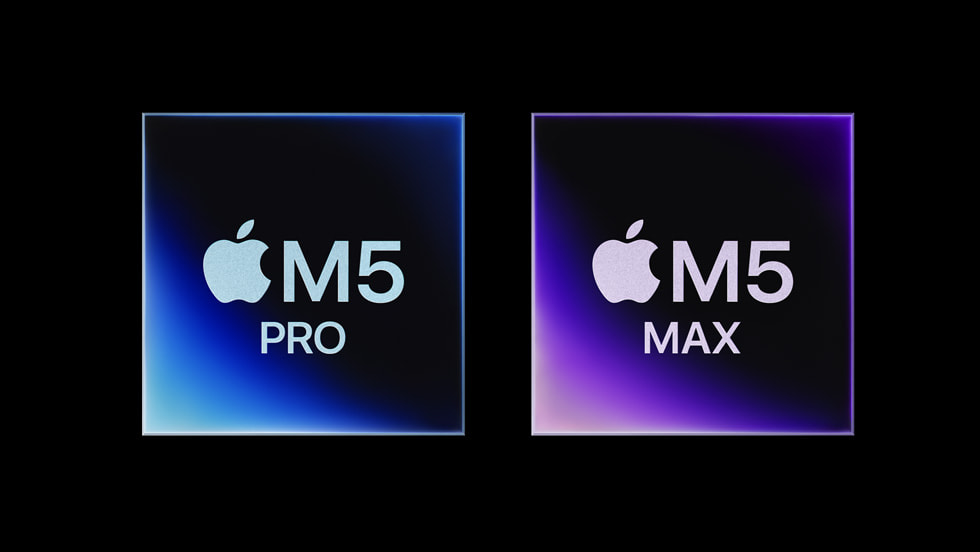
The M5 Max launched in March 2026 with a significant AI upgrade: Neural Accelerators embedded in each GPU core deliver 4x peak GPU compute for AI workloads versus M4 Max. With 128GB at 614 GB/s, it runs Llama 3.3 70B at ~22 tok/s and can even attempt Llama 4 Scout (109B, 17B active) at ~30 tok/s thanks to MoE's reduced active parameter footprint. The Mac Studio variant adds 27% sustained thermal headroom over the MacBook Pro form factor.
Maximum: Mac Studio M4 Ultra (192GB) — $6,000+
The M4 Ultra doubles the M4 Max with 192GB unified memory and 819 GB/s bandwidth. This runs every open-source model currently available — including DeepSeek-R1 distills at full precision and Llama 4 Maverick at Q4. If you need to run 100B+ parameter models locally without compromise, this is the only consumer option that does it on a single machine, period.
MLX: Apple's secret weapon for local AI
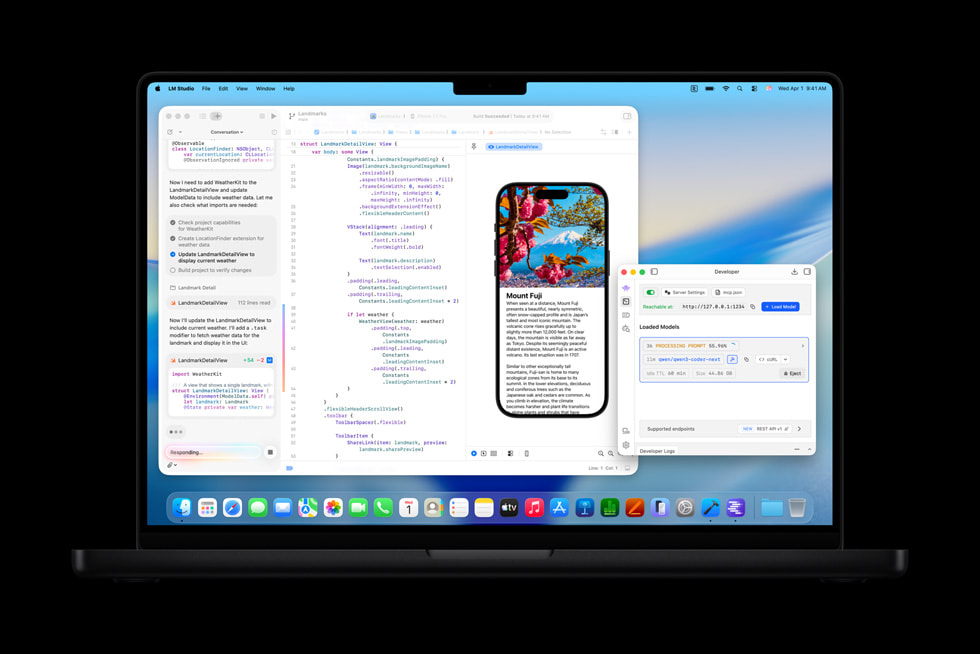
MLX is Apple's machine learning framework built specifically for Apple Silicon. While Ollama and llama.cpp work well on Macs, MLX is optimized at the metal level for unified memory and delivers measurably faster inference.
Key advantages of MLX in 2026:
- Zero-copy memory — models load directly into unified memory with no CPU-to-GPU transfer overhead. On PCs, loading a model from RAM to VRAM takes seconds; on MLX, it's instant.
- Lazy evaluation — computations are only materialized when needed, reducing peak memory usage by 15-20% compared to eager frameworks.
- Native quantization — MLX supports 4-bit and 8-bit quantization with Apple-optimized kernels that maintain quality better than generic GGUF quantization in some benchmarks.
- Growing model ecosystem — the mlx-community on Hugging Face has 3,000+ pre-converted models including Llama 4, Qwen 3.5, Gemma 3, and DeepSeek-R1 distills.
For most users, we still recommend starting with Ollama on Mac — it's simpler, has broader model support, and the performance gap versus MLX is 10-15% at most. But if you're building applications or need maximum throughput, MLX is the way to go.
Mac vs PC for local AI: the honest comparison
There is no single "better" platform — it depends entirely on what models you run and how you use them.
Choose a Mac if:
- You want to run 70B+ models on a single machine without dual GPUs
- You value silent operation — Macs under AI load are quieter than a PC at idle
- You need portability — no PC laptop matches 128GB unified memory
- Power efficiency matters — the M5 Max draws ~40W under full AI load versus 450W+ for an RTX 5090
- You're already in the Apple ecosystem for development (iOS/macOS apps, Swift, Xcode)
Choose a PC if:
- You primarily run 7-30B models where NVIDIA's 3-4x bandwidth advantage means 2-3x faster tokens
- You do image/video generation — CUDA acceleration in ComfyUI and SD is 2-5x faster than MPS on Apple Silicon
- You want to fine-tune models — NVIDIA's ecosystem (PyTorch CUDA, bitsandbytes, Flash Attention) is years ahead
- You need multi-user serving — vLLM's PagedAttention doesn't run on Apple Silicon
- Budget matters — a $1,500 PC with a used RTX 3090 handles 30B models; comparable Mac performance starts at $3,500
The sweet spot for many users? Both. A Mac for daily inference and large-model exploration, plus a budget PC with a dedicated GPU for fine-tuning, image generation, and serving.
Our Mac buying recommendations for AI in 2026
Here's exactly what we'd buy at each budget level:
- Under $2,000: Mac Mini M4 Pro with 24GB — runs 7-13B models for coding and writing, dead silent, tiny power bill. Skip the 48GB M4 Pro unless you specifically need 27-30B models.
- $3,000-4,000: MacBook Pro 16" M4 Max with 64GB — the best all-around AI workstation. Runs 30B models natively, handles 70B at Q3 with acceptable speed. You get a premium laptop that also happens to be an AI server.
- $4,500-5,500: MacBook Pro 16" or Mac Studio M5 Max with 128GB — the local AI powerhouse. 70B models at full speed, 100B+ MoE models feasible, 4x AI compute boost over M4 Max. If running big models is your primary use case, this is the one.
- $6,000+: Mac Studio M4 Ultra with 192GB — only if you genuinely need to run models above 100B parameters regularly. For most users, the M5 Max 128GB is the better value.
Critical tip: Always max out memory when ordering. Apple Silicon memory is soldered — you cannot upgrade later. The difference between 64GB and 128GB is $200-400 at purchase, but it's the difference between running a 30B model and a 70B model for the lifetime of the machine.
Frequently Asked Questions
Can you run AI models locally on a Mac?
Yes. Apple Silicon Macs (M1 and later) run AI models locally using tools like Ollama, LM Studio, and MLX. The unified memory architecture means the GPU can access all system RAM, allowing Macs with 64-128GB to run models up to 70B+ parameters — something impossible on even the best single consumer NVIDIA GPU with only 32GB VRAM.
What is the best Mac for running LLMs locally?
The best all-around Mac for local AI in 2026 is the M5 Max with 128GB unified memory ($4,500-5,000). It runs 70B models at ~22 tok/s and has 614 GB/s bandwidth. For budget buyers, the Mac Mini M4 Pro with 24GB ($1,600) handles 7-13B models well. The M4 Ultra with 192GB ($6,000+) is the maximum option for 100B+ models.
Is Apple Silicon faster than NVIDIA for AI?
For small models (7-13B), NVIDIA is 2-3x faster because GPUs like the RTX 5090 have 1,792 GB/s bandwidth versus the M5 Max's 614 GB/s. For large models (70B+), Apple Silicon wins because you can fit the entire model in 128GB unified memory — something no single consumer NVIDIA GPU can do. The fastest solution depends entirely on model size.
How much unified memory do I need for AI on a Mac?
24GB handles 7-13B models (daily coding assistant). 48-64GB handles 27-30B models (advanced reasoning). 128GB handles 70B models (near-frontier quality). 192GB handles 100B+ models. We recommend 64GB as the minimum for serious AI use, and always maxing out memory since Apple Silicon RAM is not upgradeable.
What is MLX and should I use it?
MLX is Apple's machine learning framework optimized for Apple Silicon unified memory. It delivers 10-15% faster inference than llama.cpp on Macs through zero-copy memory access and optimized kernels. For most users, Ollama (which uses llama.cpp underneath) is easier to set up. Use MLX if you're building applications or want maximum performance.
Mac Mini or Mac Studio for local AI?
Mac Mini M4 Pro is the entry point at $1,600 (24GB, good for 7-13B models). Mac Studio M5 Max offers 128GB unified memory with better sustained performance than the MacBook Pro due to active cooling. Choose the Mini for budget setups, the Studio for 70B+ models where thermal throttling matters.
Related Articles
How to Run LLMs Locally: Complete Beginner's Guide (2026)
Step-by-step guide to running large language models on your own computer. Covers Ollama, LM Studio, llama.cpp, and vLLM — with setup instructions, model recommendations, and performance tuning for NVIDIA, AMD, and Apple Silicon hardware.
Best Open-Source AI Models to Run Locally in March 2026
A ranked guide to the best open-weight LLMs you can run on your own hardware right now — including Llama 4, DeepSeek-R1, Qwen 3.5, Gemma 3, and Phi-4. Covers model sizes, quantization, hardware requirements, and which model to pick for your use case.
RTX 5090 vs Apple M5 Max for Local AI: GPU VRAM vs Unified Memory
An in-depth comparison of NVIDIA's RTX 5090 (32GB GDDR7) and Apple's M5 Max (128GB unified memory) for running AI models locally. Covers LLM inference, image generation, fine-tuning, power efficiency, and total cost of ownership.